
Launch offer: start a plan and use code WELCOME20 for CAD 20 creditFor new customers who start with a paid plan. One per company. Not combinable with a free trial. See Terms.

Start now

Guide

4. Review your first prospects

Aston Link takes a quick look at up to 20 companies, researches the likeliest few, and stops once it finds 2 good fits. It writes an email for each one; nothing is sent without you.

  1. Step 1: Before it starts, one line says what it usually costs and the most it can use. While it works you can leave the page; Home shows how far it is.
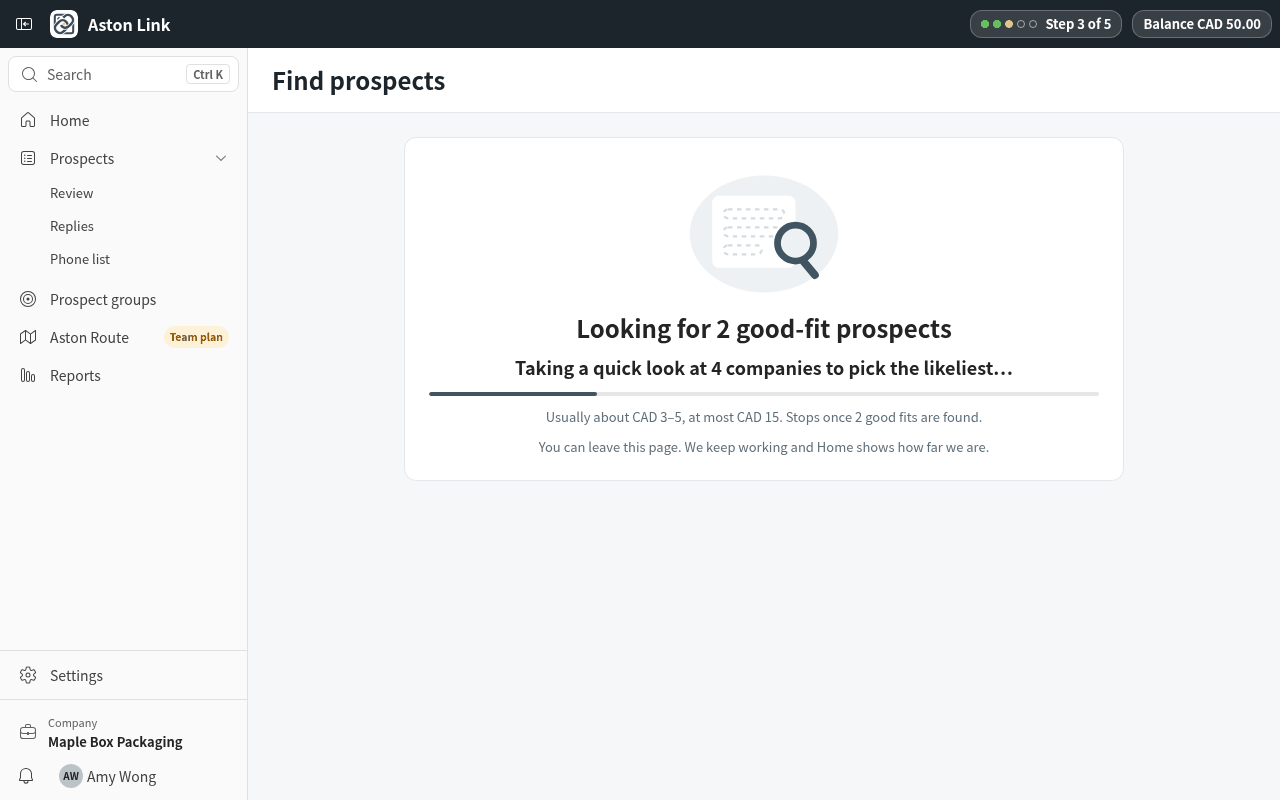
    Before it starts, one line says what it usually costs and the most it can use. While it works you can leave the page; Ho
  2. Step 2: Each card shows the company, how well it fits, why, and a draft email. The line at the top says what this search actually used.
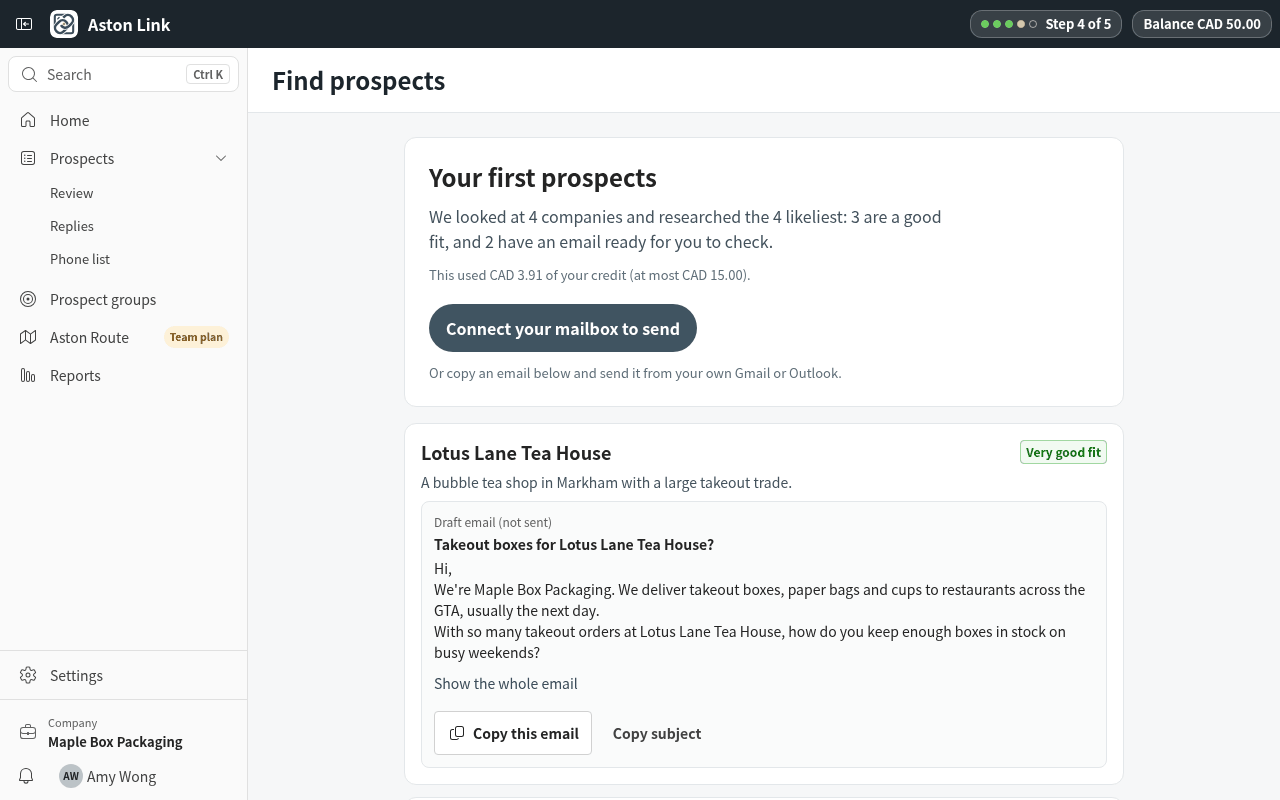
    Each card shows the company, how well it fits, why, and a draft email. The line at the top says what this search actuall
  3. Step 3: No good fit yet? You see the closest matches and their reasons. Add nearby areas or other kinds of business and press Add these and try again.
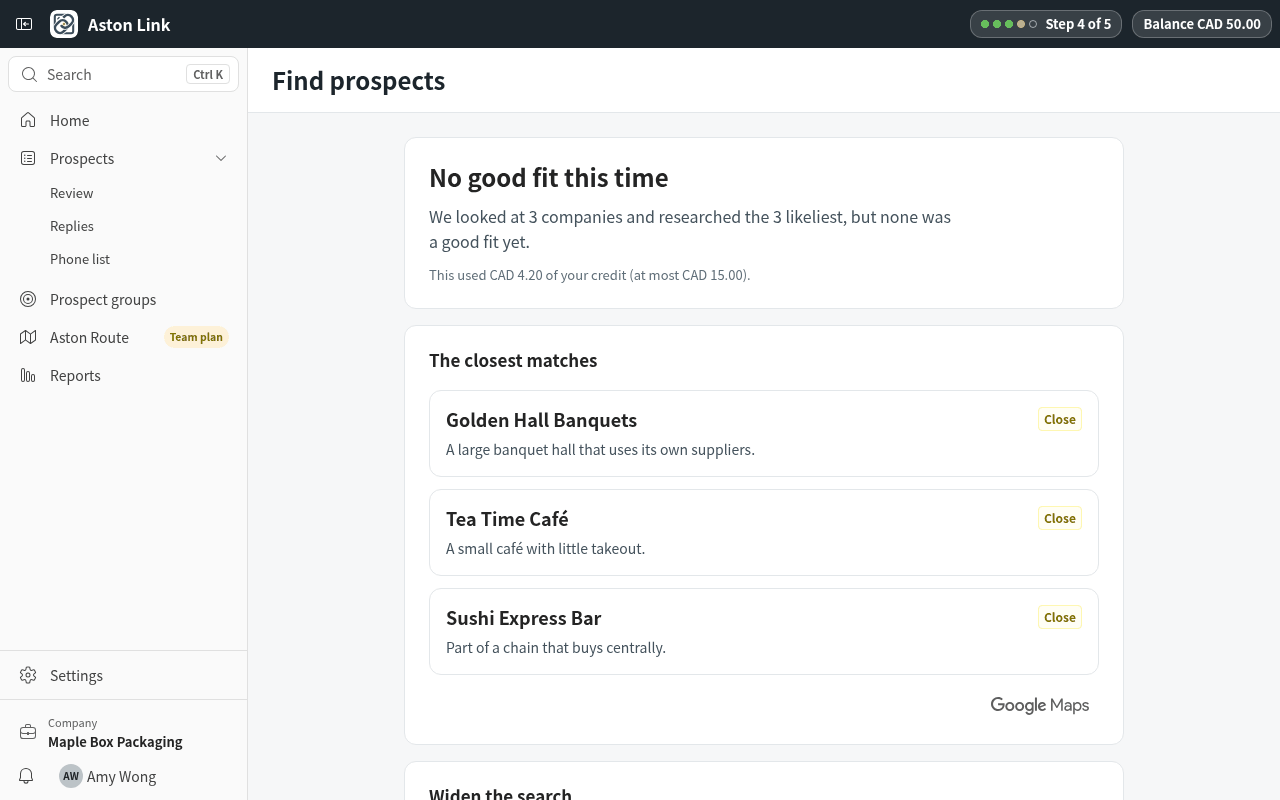
    No good fit yet? You see the closest matches and their reasons. Add nearby areas or other kinds of business and press Ad

Aston Link is launching soon

Want early access, or have a question? Reach us directly and we'll get back to you.