
Launch offer: start a plan and use code WELCOME20 for CAD 20 creditFor new customers who start with a paid plan. One per company. Not combinable with a free trial. See Terms.

Start now

Guide

3. Answer the setup questions

Tell Aston Link what you sell and who buys it, like a short chat. It takes about 3 minutes, and you can type or speak your answers.

  1. Step 1: Press Start. Prefer to set everything up yourself? Use Skip, I'll set it up myself at the bottom; you can come back later with Set up by answering questions.
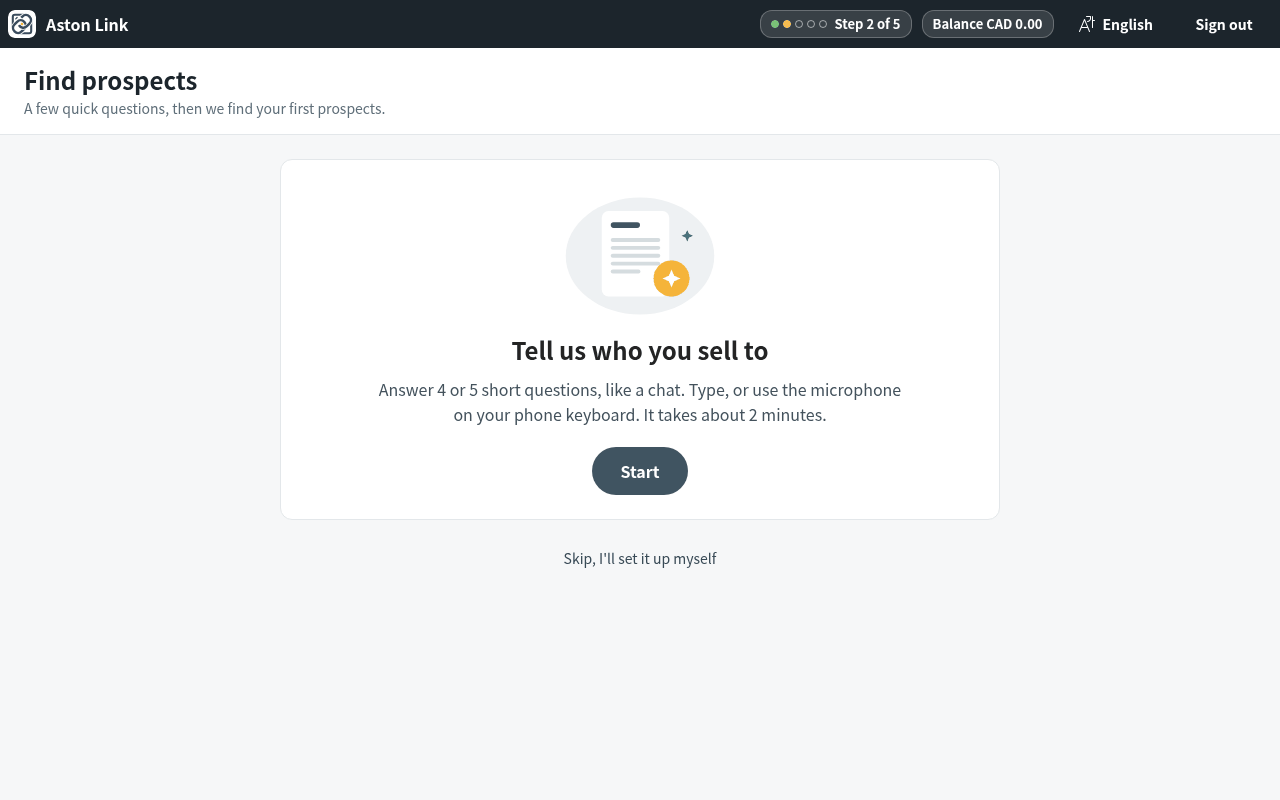
    Press Start. Prefer to set everything up yourself? Use Skip, I'll set it up myself at the bottom; you can come back late
  2. Step 2: Answer each question in a few words. The example under each question fits your business. On a phone, tap the microphone on the keyboard to speak.
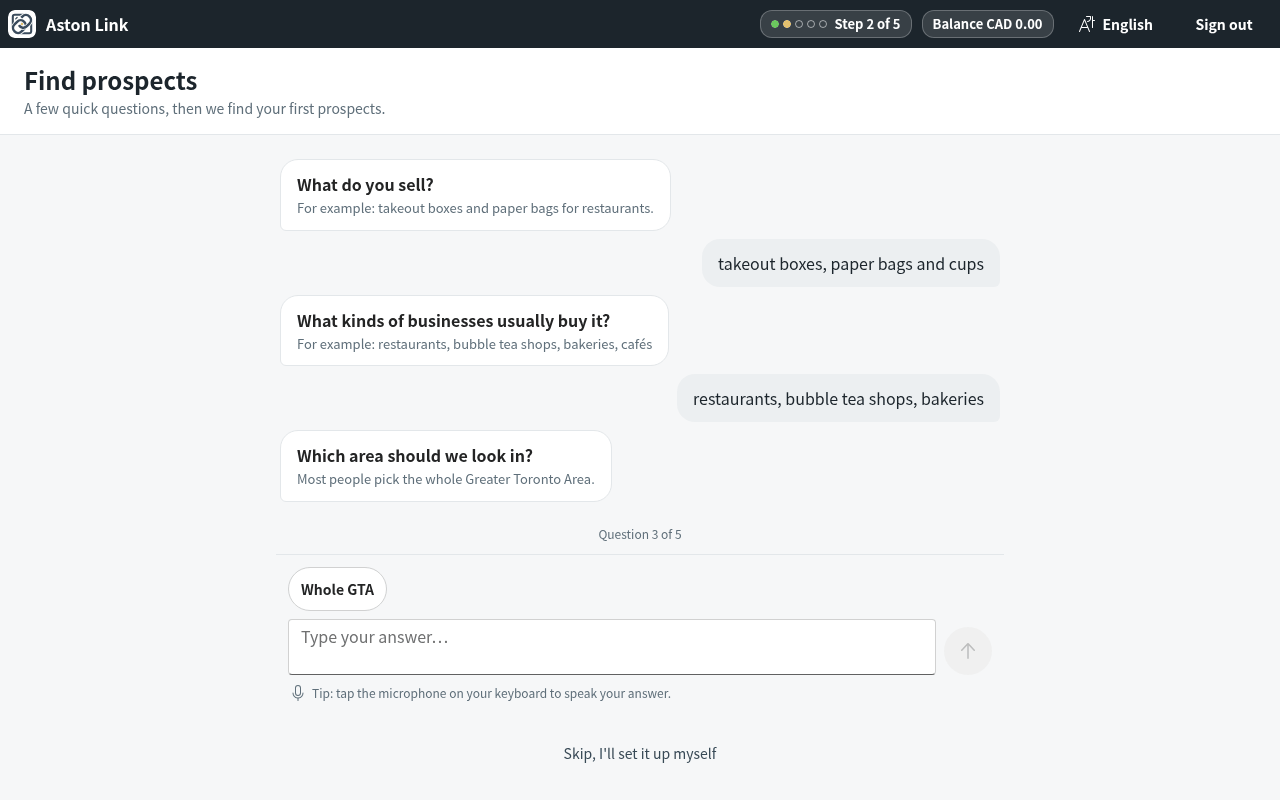
    Answer each question in a few words. The example under each question fits your business. On a phone, tap the microphone
  3. Step 3: Check the summary card: what you sell, who to find, where, and who not to contact. Press Looks right, or Change something to fix it.
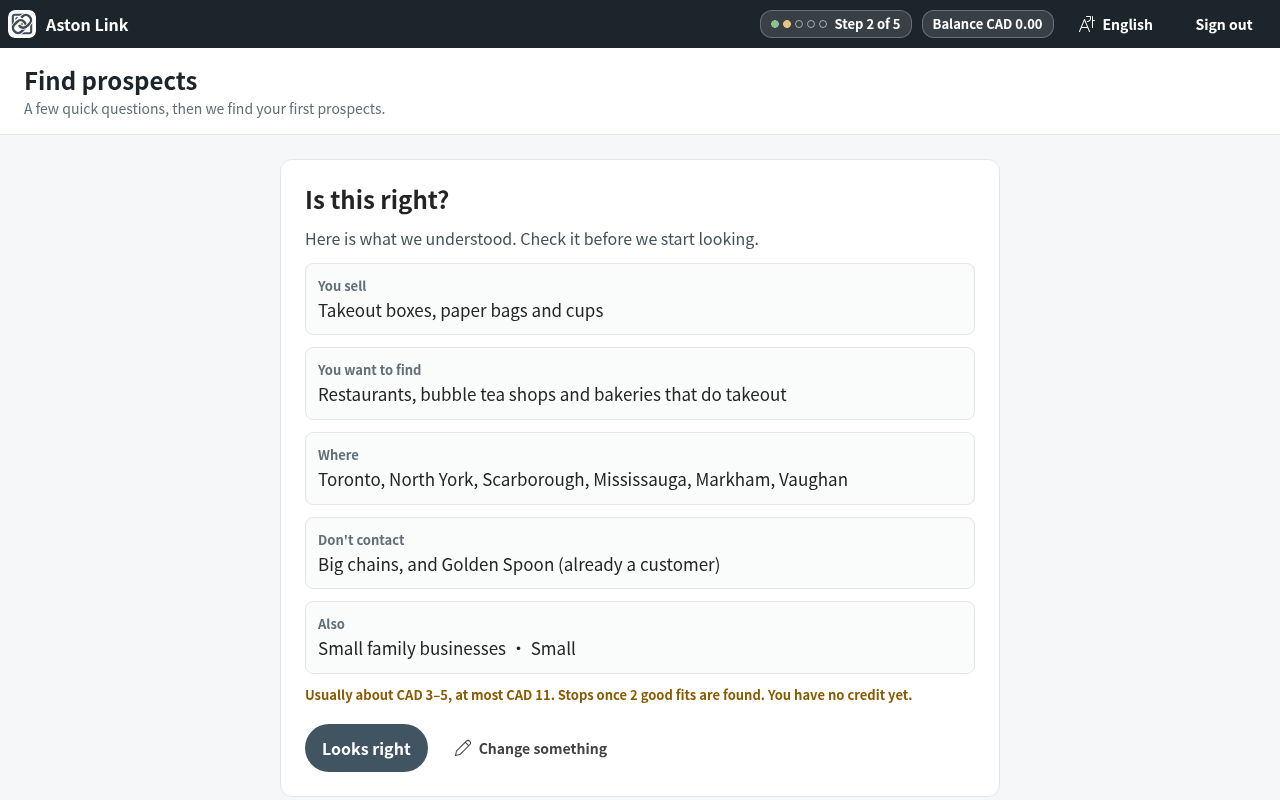
    Check the summary card: what you sell, who to find, where, and who not to contact. Press Looks right, or Change somethin
  4. Step 4: Add your company details for the bottom of every email: name, phone and business address (Canadian law requires the address). A website is optional. Then press Find my first prospects.
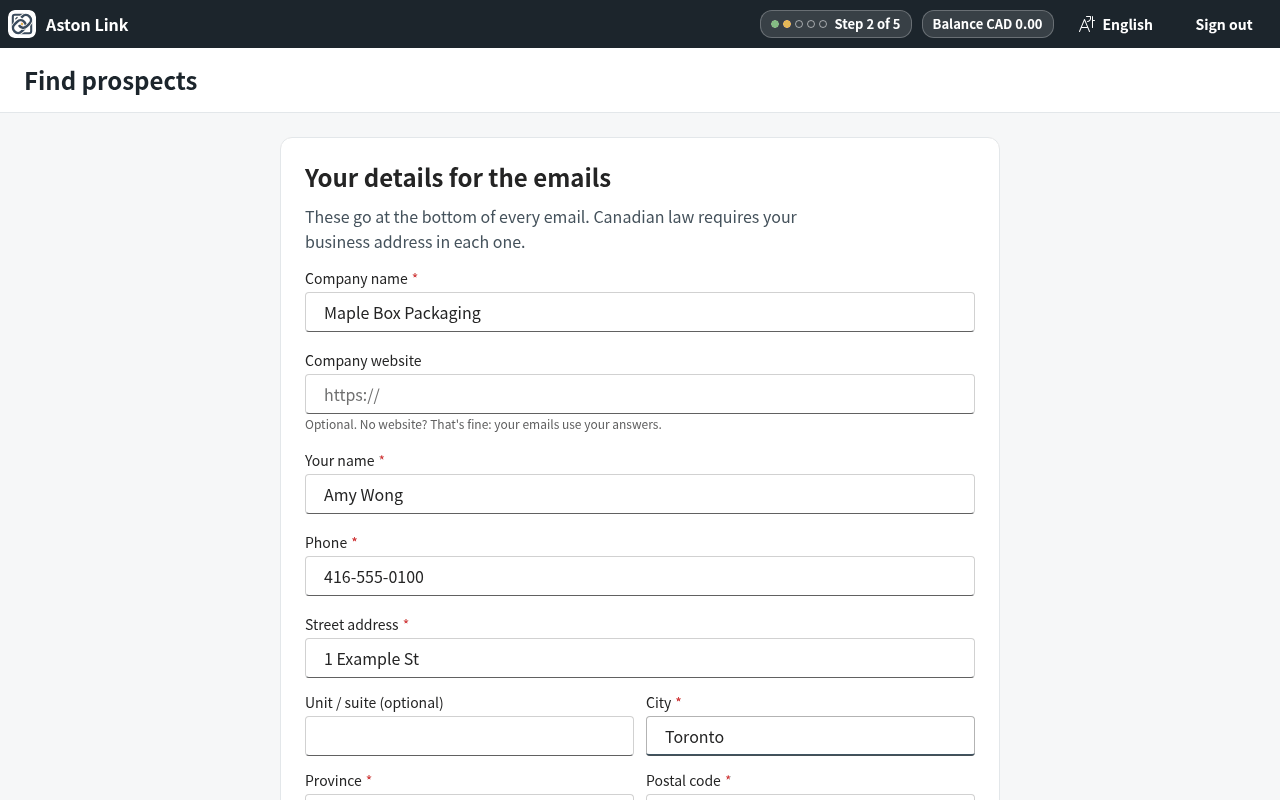
    Add your company details for the bottom of every email: name, phone and business address (Canadian law requires the addr

Aston Link is launching soon

Want early access, or have a question? Reach us directly and we'll get back to you.