
Launch offer: start a plan and use code WELCOME20 for CAD 20 creditFor new customers who start with a paid plan. One per company. Not combinable with a free trial. See Terms.

Start now

Guide

1. Sign up

Create your account with your email address. There is no password: we email you a code each time you sign in.

  1. Step 1: Go to app.astonlink.ca. Under the sign-in box, choose No account? Create one. Pick your language at the top right (EN │ 繁 │ 简). Enter your email address, your company name and your name, then press Next.
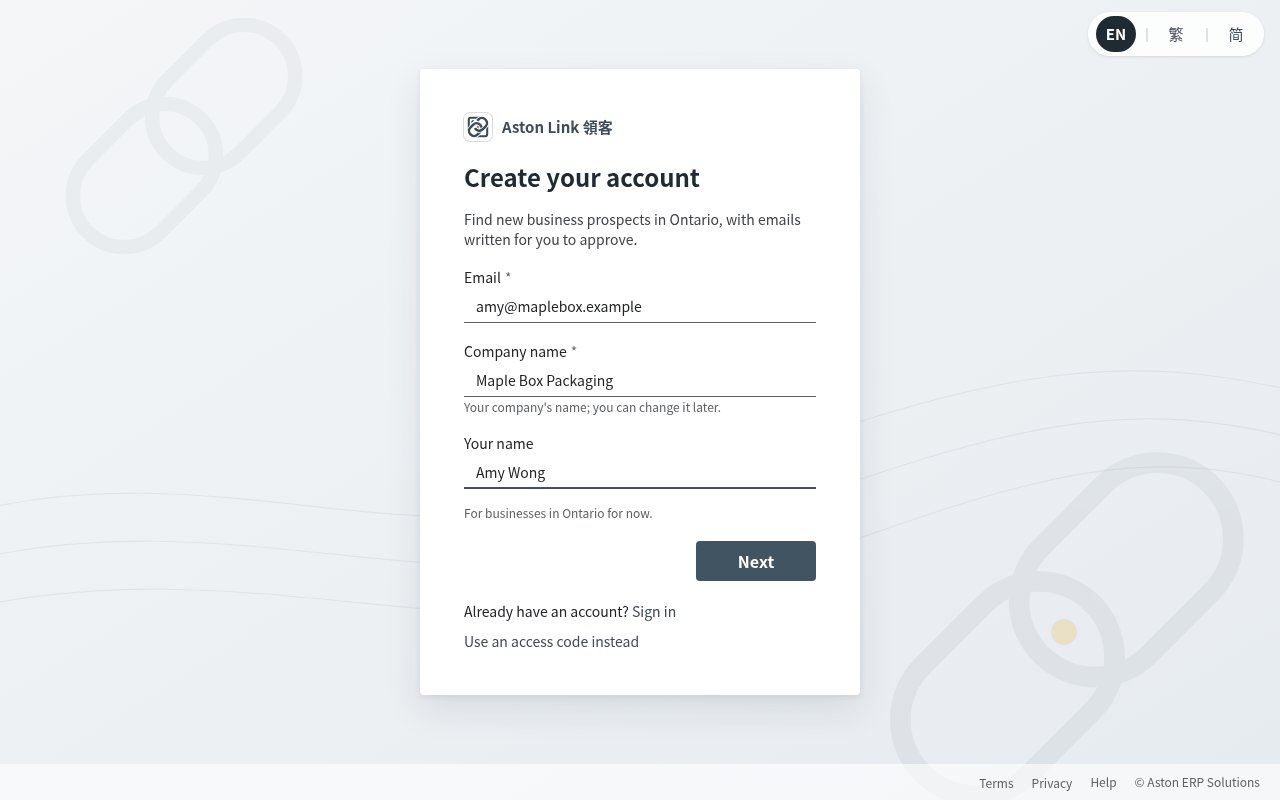
    Go to app.astonlink.ca. Under the sign-in box, choose No account? Create one. Pick your language at the top right (EN │
  2. Step 2: We email you a 6-digit code. Type it in, accept the Terms, and press Create account. If the email doesn't arrive within a minute, check your spam folder or ask for a new code.
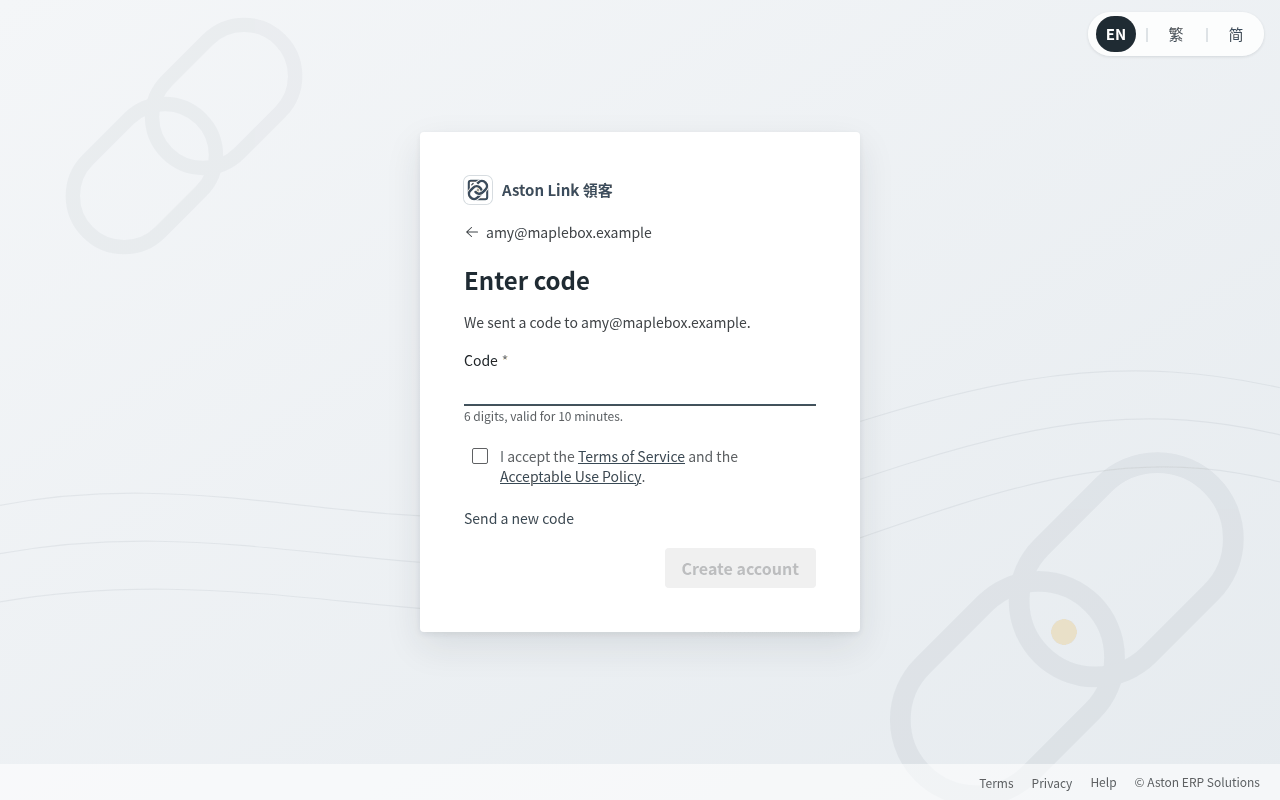
    We email you a 6-digit code. Type it in, accept the Terms, and press Create account. If the email doesn't arrive within
  3. Step 3: You're in. The welcome screen shows one next step at a time, so you always know what to do.
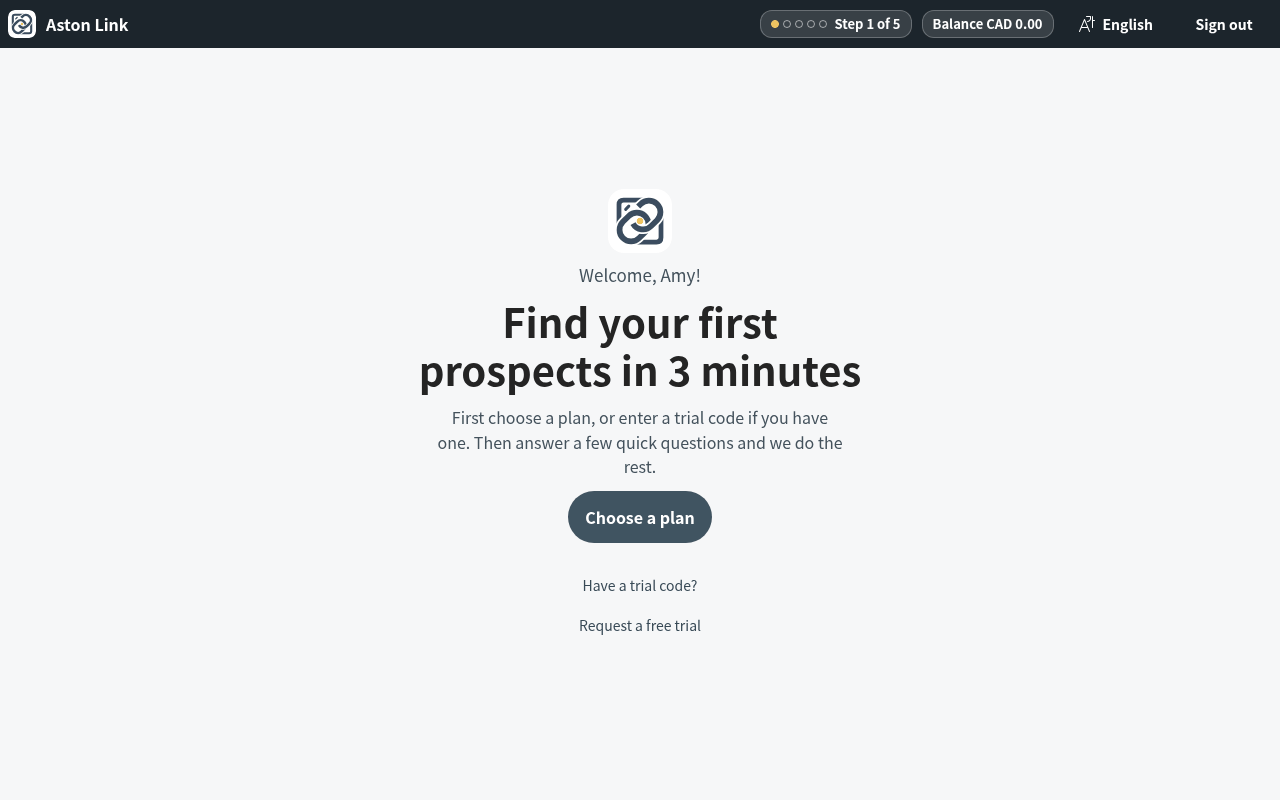
    You're in. The welcome screen shows one next step at a time, so you always know what to do.

Aston Link is launching soon

Want early access, or have a question? Reach us directly and we'll get back to you.